See what your child is learning —
lesson by lesson.
Your child's teacher, you, and your child — on the same page, every
week.
Clefora shows you what was covered, what to practise, and how your
child is progressing — quietly, through the week. Free for parents,
always.
What you see
The right information, at the right moment.
Four rhythms — after every lesson, through the week, each term, and
when exams land. Clefora keeps you close without crowding you.
After every lesson
Know what happened.
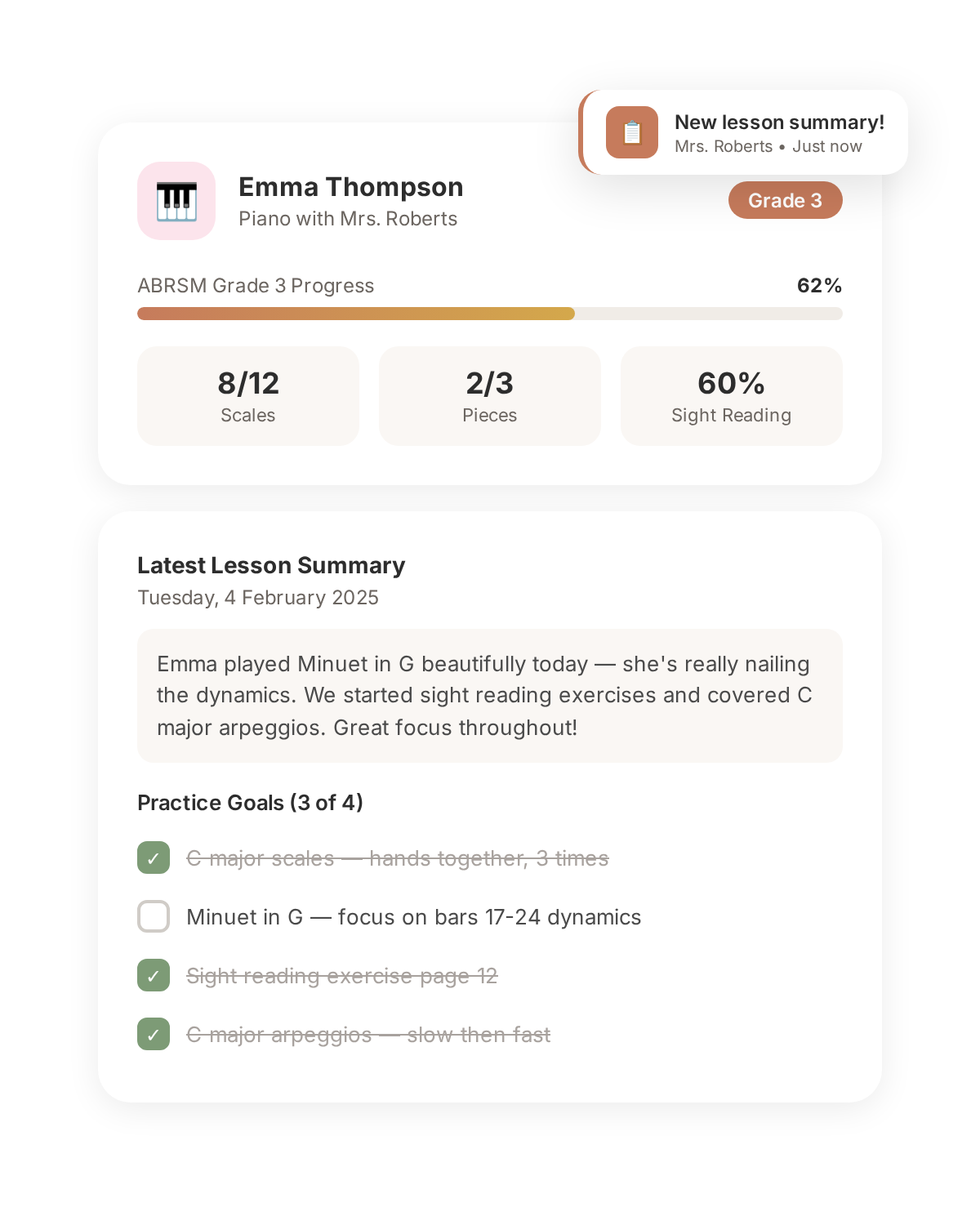
A lesson digest arrives on your phone with everything covered: pieces worked on, techniques practised, and the teacher's observations. No more guessing.
Lesson summary delivered by push notification
Practice goals in plain language you can understand
See the specific practice tasks the teacher set. Mark them as done when your child practises. Know exactly what to encourage — no musical knowledge required.
A clear checklist of practice goals
Tap to mark goals as practised
Mid-week practice reminders
Every term
See the bigger picture.
Track milestones, view curriculum progress, and see how far your child has come. Review invoices and pay in-app when the teacher uses Clefora billing.
Milestone achievements and celebrations
Full lesson history, searchable and organised
Invoices and payment history in one place
When it matters
Exams, performances, milestones.
Stay informed during exam season with deadline reminders, syllabus progress, confirmed dates, and results — shared by the teacher as they happen.
Exam entry tracking (ABRSM, Trinity, Rockschool)
Registration deadline alerts
Results shared and celebrated
One account, every teacher
Piano on Tuesdays. Violin on Saturdays. Theory in the holidays.
One account per parent — however many teachers your family has. Clefora
is built for the real world, where a child learns with one teacher for piano
and another for violin, and the family has more than one child. It all lives
in one place, free, with every teacher you work with.
Always free
What you get — free.
Lesson digests after every session
Practice goals in plain language
Mark practice as done
Milestone and progress tracking
Exam entries, deadlines, and results
Secure messaging with the teacher
Invoice viewing and in-app payment
Push notifications and email alerts
Multi-child support from one account
Full lesson history, always accessible
Getting started
Three steps, no setup required.
01
Accept the invitation
Your child's teacher sends an invite link by email, text, or WhatsApp. Tap it to get started.
02
Create your free account
Sign in with Google or Apple. Your account is automatically linked to your child and their teacher.
03
Stay close to the music
Receive lesson digests, track practice, follow progress, and message the teacher — all in one app.
Frequently asked
What parents want to know first.
How can I stay informed about my child's music lessons?
After every lesson, your child's teacher sends a digest through Clefora. You'll see what was covered, what to practise this week, and how your child is progressing. It arrives as a push notification — no searching through emails or texts.
How do I know if my child is practising?
Clefora shows you the practice goals the teacher set after each lesson, written in plain language you can understand. When your child practises, you mark goals as done. By lesson day, both you and the teacher can see what was completed.
Can I message my child's music teacher through the app?
Yes. Clefora has secure, in-app messaging linked to your child's profile. Ask questions about practice, discuss schedule changes, or share updates — all in one place instead of scattered across email, text, and WhatsApp.
How do I see my child's progress over time?
Your child's teacher tracks milestones, curriculum levels, and repertoire in Clefora. You can see completed milestones, current goals, exam entries, and their full lesson history — from first lesson to today.
Is Clefora free for parents?
Yes, always. Parents use Clefora completely free with full access to lesson digests, practice goals, progress tracking, exam updates, invoices, and messaging. No trials, no upsells, no hidden costs.
What if I have multiple children taking lessons?
One free account covers all your children, even if they have different teachers and instruments. Switch between children to see their individual lessons, goals, and progress.